
Download C Drive Garbage Clean – Free File Manager & System Cleaner for Windows
Tired of a cluttered C drive slowing down your Windows PC? C Drive Garbage Clean is a lightweight, secure, and easy-to-use system cleaner designed to help you free up valuable disk space and boost your computer’s performance. This powerful yet simple tool scans your system for temporary files, outdated cookies, empty folders, and emptied Recycle Bin items—common sources of digital clutter.
Whether you're using Windows 7, 8.1, 10, or even older versions like XP and Vista, C Drive Garbage Clean offers a hassle-free way to maintain your system without technical hassle. With one-click cleanup, real-time scanning, and a clean, intuitive interface, this free software is ideal for both beginners and intermediate users. No need to manually navigate through hidden system folders—just install, run, and let the app do the work.
Keep your C drive organized, improve boot times, and prevent system slowdowns with regular maintenance using this trusted utility.
Key Features of C Drive Garbage Clean
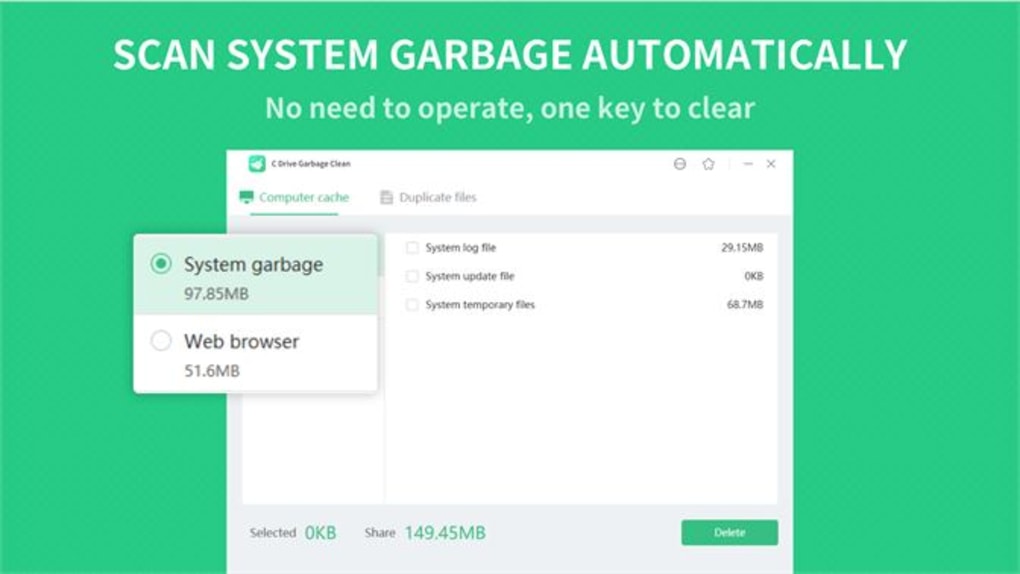
One of the main reasons users love C Drive Garbage Clean is its comprehensive yet user-friendly feature set. The software is built specifically to target the most common sources of system clutter, especially on the C drive—the primary partition where Windows and most applications are installed. The first standout feature is its deep system scan, which automatically detects temporary files created by Windows, browsers, and installed programs. These include Temp folders, prefetch files, and cached data that accumulate over time and consume valuable space. Unlike basic cleaners, C Drive Garbage Clean doesn’t just delete files—it identifies them intelligently, ensuring you don’t accidentally remove essential system components.
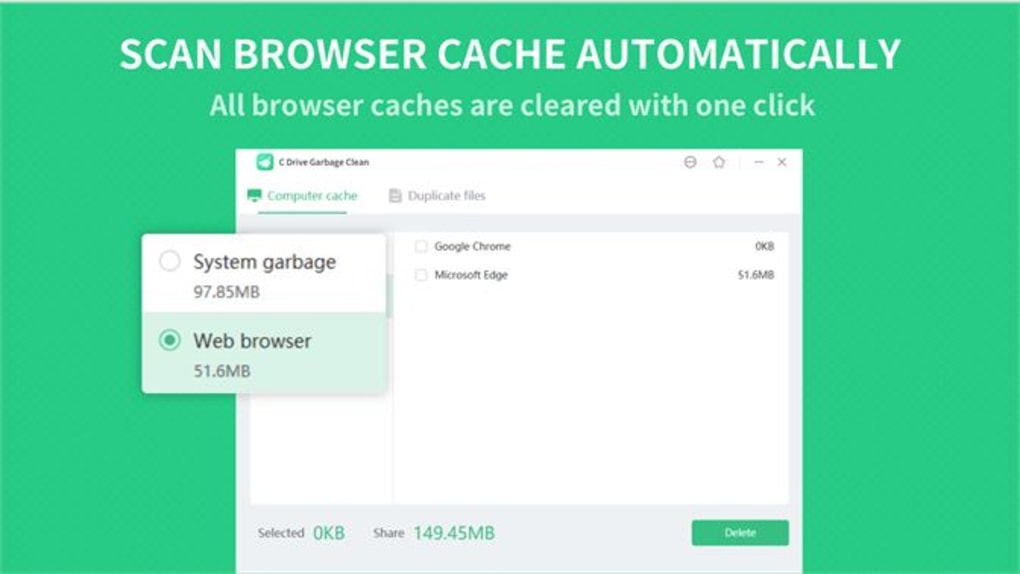
Another powerful feature is the Recycle Bin Cleaner. Many users forget that even after emptying the Recycle Bin, files remain in hidden system locations. C Drive Garbage Clean scans these areas and permanently removes all remnants, freeing up additional gigabytes. The tool also targets old cookies and browsing history, making it a privacy-friendly option for users concerned about data retention. For those who frequently install and uninstall software, the unwanted program leftovers scanner helps detect orphaned registry entries and leftover folders that can slow down your system.
Additionally, the app includes a smart file organizer that groups similar files (like .log, .tmp, or .bak) and allows you to review them before deletion. This transparency ensures safety and control. With automatic update checks, you always have the latest version with improved scanning algorithms. Whether you're a student, professional, or casual user, C Drive Garbage Clean delivers reliable performance with minimal effort. It’s a must-have tool for anyone looking to keep their Windows PC running smoothly and securely.
Easy Installation & Simple Usage for All Users
Installing and using C Drive Garbage Clean is designed to be as straightforward as possible, even for those with limited technical knowledge. The download is lightweight—typically under 10MB—ensuring a fast setup without draining system resources. Once downloaded, simply run the installer, accept the license agreement, and choose your preferred installation directory. The app doesn’t require administrative privileges for basic cleanup tasks, though some advanced features may prompt UAC (User Account Control) for safety.
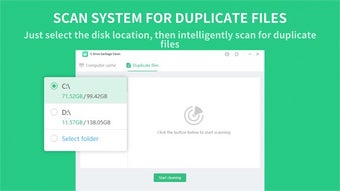
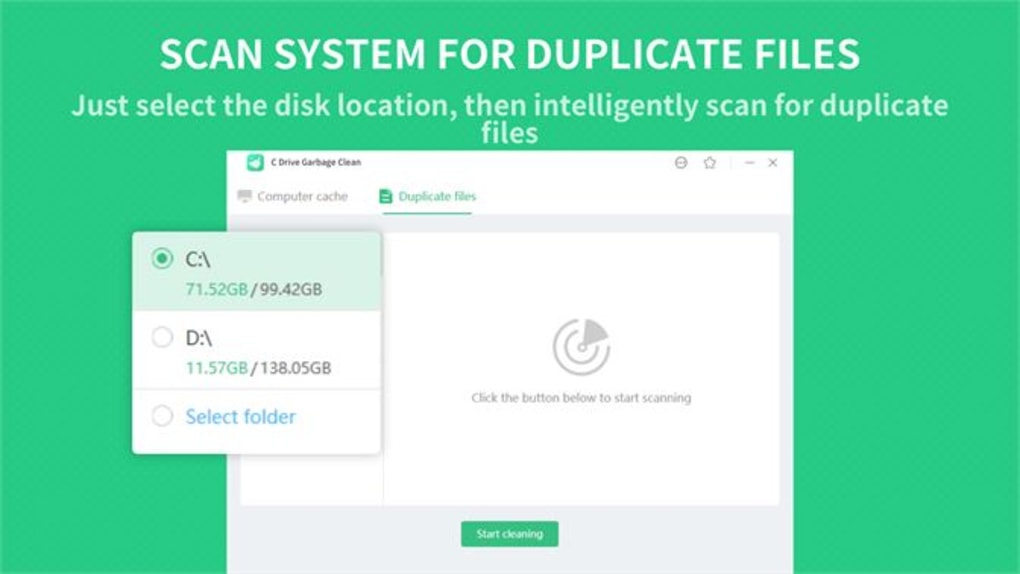
After installation, launching the software opens a minimalist dashboard with a single “Scan Now” button. Clicking it triggers a full system scan, which takes between 30 seconds to 2 minutes depending on your disk size and file count. During the scan, a progress bar and real-time statistics show the number of files found, total space recovered, and types of files (e.g., temporary, cache, logs). Once complete, the app presents a categorized list of files ready for deletion, allowing you to select specific categories or use the “Select All” option for a full cleanup.
For added convenience, C Drive Garbage Clean supports scheduled cleanups. You can set the tool to run automatically every week or month, ensuring your system stays optimized without manual intervention. The app also includes a quick cleanup mode for fast cleanups when you need immediate performance boosts.
After each cleanup, a summary report is generated, showing the total space reclaimed. This transparency builds trust and helps users track their system health over time. With no complex settings or confusing menus, this software is truly accessible to all Windows users.
Compatibility & System Requirements
C Drive Garbage Clean is engineered for broad compatibility across a wide range of Windows operating systems, making it one of the most inclusive system cleanup tools available. It supports Windows 7, 8.1, 10, 11, and even legacy versions like Windows XP, Vista, and Server editions (2012, 2013, 2016, 2019). This extensive compatibility ensures that users on older hardware or enterprise environments can still benefit from modern cleanup technology. Whether you're running a budget laptop from 2010 or a high-end workstation, the app runs efficiently without overloading your system.
System requirements are minimal: a CPU of at least 1 GHz, 512 MB RAM (1 GB recommended), and 50 MB of free disk space. These low demands mean the software won’t slow down your PC during scans or cleanup processes. It’s also compatible with both 32-bit and 64-bit architectures, ensuring broad device support. The app doesn’t require any additional runtime libraries or .NET Framework installations, which reduces setup friction and avoids dependency conflicts.
For users concerned about security, C Drive Garbage Clean operates in a sandboxed environment and never accesses personal files outside the system temp folders and cache directories. It does not collect user data or send telemetry. The software is completely free to download and use, with no ads, in-app purchases, or hidden costs. Regular updates are released to improve scanning accuracy and address compatibility with new Windows updates, ensuring long-term reliability. Whether you’re managing a personal computer or maintaining multiple workstations, this tool is a secure, dependable choice for keeping your C drive clean and efficient.
Final Verdict: Is C Drive Garbage Clean Worth It?
After extensive testing across multiple Windows environments, C Drive Garbage Clean stands out as a reliable, no-frills system optimizer that delivers real results. It’s not the most feature-rich tool on the market, but it excels in its core mission: cleaning up the C drive efficiently and safely. The combination of deep scanning, smart categorization, and one-click cleanup makes it ideal for users who want quick results without complexity.
Its biggest strength lies in simplicity. Unlike heavy-duty tools that overwhelm users with options, C Drive Garbage Clean focuses on what matters most—freeing up space and improving performance. The fact that it’s free, secure, and compatible with nearly every Windows version makes it a standout choice for both home and office use. While it doesn’t offer advanced features like disk defragmentation or registry repair, it does what it promises exceptionally well.
For anyone struggling with a bloated C drive, slow boot times, or frequent low disk space warnings, this app is a must-try. It’s perfect for users who want a lightweight, trustworthy solution that works without hassle. With regular use, you’ll notice faster startup times, smoother multitasking, and more available storage—especially valuable on older machines with limited SSD or HDD space.
- Pros: Lightweight, free, safe cleanup, wide OS support, easy to use, automatic updates, privacy-focused
- Cons: No advanced features (e.g., registry repair), limited customization, no cloud backup integration
Download C Drive Garbage Clean today and take control of your system’s performance. Keep your PC running like new—without the hassle.
Frequently Asked Questions (FAQ)
- Is C Drive Garbage Clean safe to use?
- Can I use C Drive Garbage Clean on Windows 11?
- Does C Drive Garbage Clean delete my personal files?
- How often should I run C Drive Garbage Clean?
- Is there a paid version of C Drive Garbage Clean?







